
Focus Friend by Hank Green
Honey B GamesProductivity
4.91.67K Reviews
- Version
- 1.8.0
- Installs
- 1.00M
- Age Rating
- Everyone
Screenshots

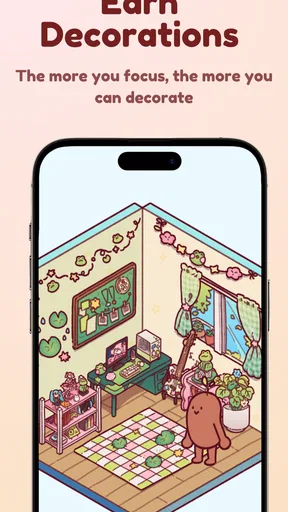

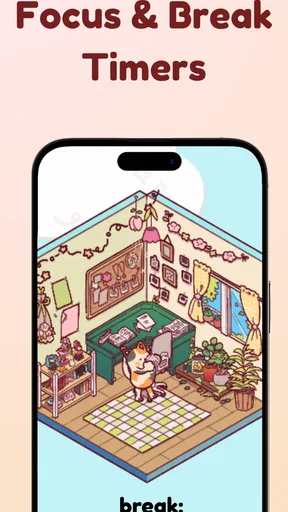
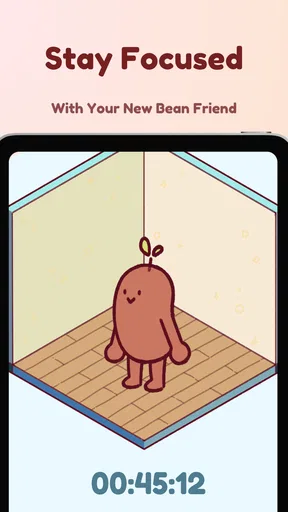
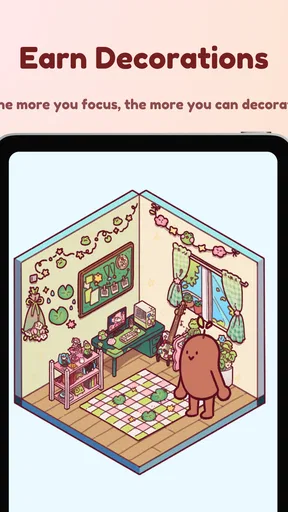

Our Review of Focus Friend by Hank Green
 Analysis by Appyee
When I’m choosing a focus tool, I first ask a practical question: do I need a strict work system, or do I need help getting started without feeling judged? Focus Friend by Hank Green is aimed at the second situation. It is a free productivity app from Honey B Games, with a friendly tone that may make a focus session feel less like another obligation. I’d consider it when a plain timer feels too cold, but I wouldn’t choose it expecting a full project-management setup.
A useful fit depends on your kind of distraction
The app’s central appeal is the idea of making focus feel companionable rather than stern. That can matter when the problem is not knowing what to do, but avoiding the first few minutes of a task. A gentle prompt and a defined work period can lower the barrier to beginning, especially for reading, study, writing, or routine admin that is easy to put off.
It is also worth asking what you want the tool to manage. If you mainly need a short ritual that helps you settle into one task, this style makes sense. If you need shared project boards, detailed dependencies, or a dependable system for coordinating a team, a dedicated task manager is likely a better fit. I’d treat Focus Friend as a personal focus aid, not as the place where every part of a busy life must live.
Where a friendly timer can make a difference
One realistic use is an afternoon study session when messages, chores, and the temptation to switch tabs keep interrupting. I’d choose one clearly bounded task before starting, such as reviewing a chapter or drafting a section, then use a timed session to give that task a protected stretch of attention. The useful trick is to decide what “done for this session” means in advance. “Work on my assignment” is vague; “outline the next section” gives the session a finish line.
That small bit of preparation helps prevent a focus timer from becoming a decorative countdown. It also makes breaks more intentional: I can step away without immediately drifting into an unrelated activity, then return knowing what the next action is. For people who find a blank to-do list intimidating, choosing just one next step can be more supportive than trying to organize an entire week before doing any work.
The app is rated for Everyone, and its broad appeal makes sense for students and adults who want a low-pressure starting point. Its average rating is 4.4 from around 6,600 ratings, with roughly 1,400 written reviews and over 1 million installs. Those figures suggest that it has reached a substantial audience, but they don’t tell me whether its approach will suit you; the best test is whether a friendly prompt helps you return to the task rather than pull you into more phone use.
How it differs from familiar productivity tools
Compared with a basic stopwatch or the timer already on your phone, Focus Friend’s distinguishing idea is its warmer, character-led framing. A plain timer is simpler and has fewer moving parts, which can be preferable if you want to start counting down immediately and avoid opening another app. Focus Friend is more appealing when the emotional tone of a tool affects whether you use it at all.
It also sits in a different lane from calendar apps and comprehensive task managers. Those tools are better for planning appointments, tracking multiple projects, or keeping work visible across a team. A focused session can complement them: I would plan the week elsewhere, then use this app when it is time to carry out one piece of that plan. Trying to make a timer replace a calendar is a category mistake, not a flaw in the timer.
There is a trade-off in any app designed to make focus more engaging: the phone itself can still be a source of distraction. I’d start a session with the task already chosen, silence unnecessary notifications using the phone’s own controls if needed, and avoid browsing around for settings once the work period begins. That simple routine keeps the companion aspect from turning into another reason to linger on the screen.
Getting to Know Focus Friend
So, what exactly is Focus Friend? Well, think of it as your personal assistant that helps you stay focused. It’s not just another app that throws timers and alarms at you. Instead, it’s designed to gently nudge you in the right direction while making sure you’re feeling motivated and supported. The app is available for both Android and iOS, so no matter your device, you’re covered!
First Impressions
Opening the app for the first time, the interface is super clean and intuitive. There’s nothing overwhelming about it, which is a huge plus if you’re like me and get easily distracted by too many options. The color scheme is calming, and the navigation is straightforward. You’ll find the main features right at your fingertips, making it easy to dive into your tasks without any fuss.
Features That Stand Out
What really makes Focus Friend shine are its thoughtful features. The app includes a customizable task list that you can tweak to fit your needs. Whether you’re tackling a major project or just trying to remember to water the plants, you can set priorities and deadlines. And the best part? The app sends you friendly reminders, so you don’t feel like you’re being nagged.
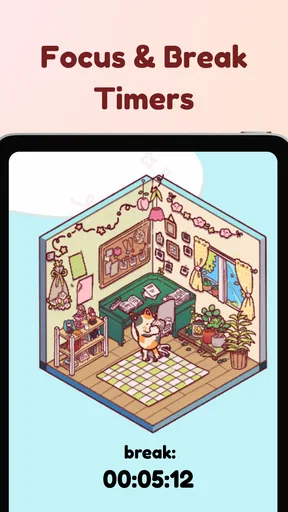
The Pomodoro timer is another standout feature. It’s a classic technique for boosting productivity, and Focus Friend has integrated it beautifully. You can set your work and break intervals, and the app will subtly let you know when it’s time to switch gears. Plus, the app offers tips and motivational quotes, which are a nice touch when you’re in need of a little boost.
Personal Touch
One of the things I love about Focus Friend is how it feels personalized. You can customize your experience by selecting different avatars and themes. It’s a small detail, but it makes the app feel more like a part of your daily routine rather than just another tool you’re using. And if you’re into stats, the app provides insights into your productivity patterns, which can be eye-opening!
Integration and Accessibility
Focus Friend plays well with others, too. It syncs with your calendar and other productivity apps, so you’re not left juggling multiple tools. This integration means your tasks and schedules are always up to date, whether you’re on your phone or your computer. And for those who are always on the go, the app’s offline mode ensures you can stay productive without needing a constant internet connection.
Choosing a rhythm that lasts
A timer is most useful when its structure matches the work in front of you. For a repetitive task, a familiar Pomodoro rhythm can create a clear start and stop. For reading a difficult paper or getting into a complex design problem, frequent interruptions may break concentration. I would treat the interval settings as an experiment rather than a rule: try a session, notice whether the break arrives at a helpful point, and adjust the next one to suit the task.
There is another small but useful distinction between planning and doing. A task list can help me choose the next action, but adding every errand and long-term idea before a session risks turning setup into procrastination. I’d keep the list focused on what I realistically intend to tackle, and use priorities or deadlines only when they genuinely help me decide what comes first. The app can support a routine; it cannot decide which commitment matters most.
What to expect from cost and commitment
The app is free to download, with optional in-app purchases ranging from $0.99 to $39.99 per item. I’d begin with the free experience and see whether the basic routine earns a place in my day before spending anything. The key decision is not whether extra items sound appealing in theory, but whether they solve a specific problem you have. If a paid option would only add novelty, I’d wait until the novelty of the app itself has settled.
It is also sensible to check the purchase details shown in the app before buying, especially if you are setting it up for a younger user. The age rating is Everyone, but an age rating and optional purchases answer different questions: one describes the intended audience, while the other concerns spending. Keeping that distinction clear makes it easier to decide whether the app fits a family device or a personal budget.
Who may prefer a different approach
I would skip this style of tool if I already work well with a plain clock, if I need robust planning across devices, or if any phone-based prompt tempts me into checking unrelated apps. Someone who needs accountability from another person may also get more value from a study partner or a shared work session than from a solo timer. Likewise, people whose work is regularly interrupted by customers, caregiving, or urgent messages may find fixed focus blocks frustrating; a flexible checklist can be more realistic than trying to protect uninterrupted time.
For a person who enjoys customizing an avatar or theme, those choices can make the routine feel personal. For someone who wants only a bare countdown, they may be unnecessary decoration. Neither reaction is wrong; it is a question of whether the companion-like presentation helps you begin or adds another layer between you and the work. I’d make that judgment after several ordinary sessions, not just the first few minutes of exploring the interface.
Small habits that make the app more useful
One practical way to keep a session productive is to write a restart note before taking a break: a short reminder of the next action, not a summary of everything you have done. When the timer ends, that note can make returning easier, especially after a phone call or a quick household interruption. Another useful habit is to keep a separate “later” note for distracting thoughts. If you remember an unrelated chore during a study block, jot it down and return to the current task instead of switching immediately.
These habits matter because a timer can mark time but cannot remove every interruption or make a task clear by itself. I find the best results come when I pair the app with a concrete action, a manageable session, and a deliberate break. That is a more durable approach than expecting a friendly character, a notification, or a streak of productive days to do the work on my behalf.
The current version is 1.3.4, and the app requires Android 7.0 or later. If you are choosing between the Android and iOS editions, I’d first check that your device meets the relevant requirement and then decide based on the way you prefer to organize work. The app’s broad availability is convenient, but the real test remains whether its particular tone and session structure fit your routine.
Final Thoughts
Overall, Focus Friend is more than just a productivity app; it’s a companion in your journey to staying focused and organized. Whether you’re a student, a professional, or just someone trying to manage daily life, this app offers a balanced mix of functionality and friendliness. It doesn’t try to overwhelm you with features, but instead, it supports you in a way that feels genuinely helpful.
If you’re looking for a productivity app that feels like it’s cheering you on rather than bossing you around, give Focus Friend a try. It’s got the right mix of features to keep you on track, and who knows, you might just find it becoming your go-to app for getting things done.
My recommendation
I’d recommend trying it if you want a gentle nudge to begin, enjoy a more personal presentation than a bare timer provides, and are happy to keep your planning needs modest. It is especially suited to a student preparing for a quiet study block, a remote worker setting aside time for one deliverable, or anyone who wants a friendly cue to return to a small daily task. Give it a fair test during ordinary work, not just during a burst of enthusiasm, and judge whether you actually complete more focused sessions.
If you need detailed team coordination, calendar-first scheduling, or a distraction-free tool with almost no interface, choose an alternative built around that need instead. My view is that the app’s strongest case is specific: it can make starting feel more approachable. That is a meaningful benefit, but it is not a substitute for planning, accountability, or a work environment that protects your attention.
Verdict
Strengths of Focus Friend by Hank Green
- User-friendly interface and design.
- Effective tools for increasing focus.
- Customizable focus sessions.
- Minimal distractions during use.
- Syncs seamlessly across devices.
Limitations of Focus Friend by Hank Green
- Limited free version features.
- Requires an internet connection.
- Occasional bugs in timer.
- No dark mode available.
- Lacks integration with third-party apps.
Similar Picks in This Category
View All
Google Calendar
Google LLC4.6

Google Drive
Google LLC4.3

Google Assistant
Google LLC3.9

Microsoft OneDrive
Microsoft Corporation4.6

Samsung Calendar
Samsung Electronics Co., Ltd.4.1

Microsoft OneNote: Save Notes
Microsoft Corporation4.6
Frequently Asked Questions
What is Focus Friend by Hank Green and how does it work?
Focus Friend by Hank Green is a productivity app designed to help users improve their focus and concentration. It offers customizable timers, white noise options, and goal-setting features to create an optimal environment for work or study. Users can track their progress and adjust settings to suit their needs.
Is Focus Friend free to use, or does it require a subscription?
Focus Friend offers a free version with basic features, but it also has a premium subscription for users who want access to advanced features such as additional soundscapes, detailed progress tracking, and personalized focus plans. The subscription is available as a monthly or yearly plan.
Can I use Focus Friend offline, or does it require an internet connection?
Focus Friend can be used offline for its basic features like timers and pre-downloaded sounds. However, some features, such as syncing progress across devices and accessing new content, require an internet connection. It's designed to minimize distractions, even when you're offline.
What platforms is Focus Friend available on?
Focus Friend is available for both Android and iOS devices. Users can download it from the Google Play Store for Android devices and the Apple App Store for iOS devices. The app is optimized for smartphones and tablets, ensuring a seamless experience across different devices.
How does Focus Friend ensure user privacy and data security?
Focus Friend prioritizes user privacy and data security by using encryption to protect user data. The app only collects essential information necessary for its functionality and does not share personal data with third parties. Users can review the app's privacy policy for more detailed information.
